 Storytella
AI Storyboarding: The Complete Filmmaker's Guide
Everything filmmakers need to know about AI storyboarding — what it is, when to use it, and the workflow that takes you from idea to a finished shot plan.
If you've ever sat down with a script and a stack of blank index cards trying to picture every shot, you already know the problem. Storyboarding is one of the most valuable steps in filmmaking — and one of the most time-consuming. For solo creators and indie crews without a storyboard artist on call, it's also the step most likely to get cut.
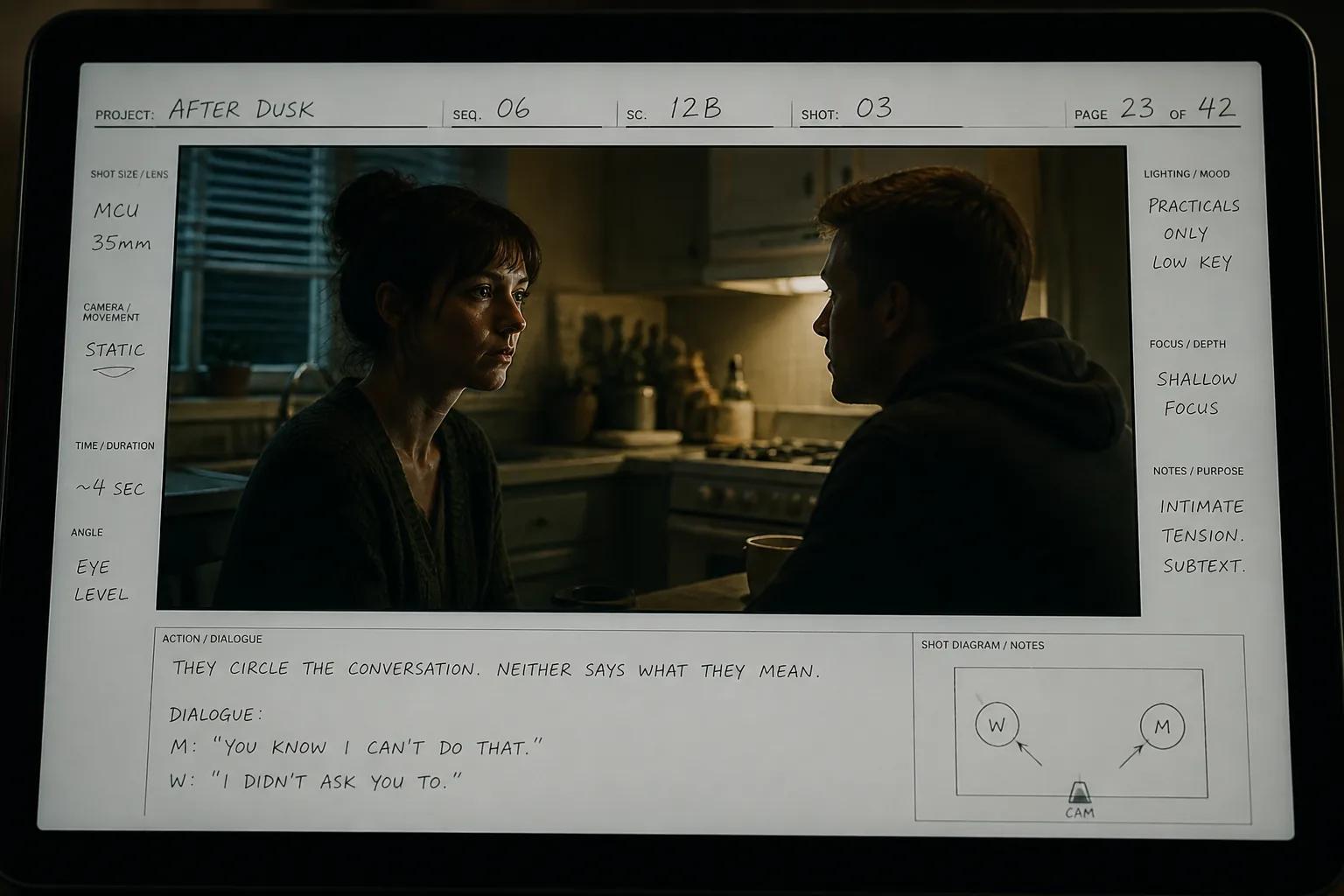
AI storyboarding solves that. Instead of drawing or hiring out, you describe what you want to see, and a tool generates a visual frame for it. Done well, it compresses days of pre-production into a single afternoon and gives you something far more useful than stick figures on paper. This guide explains what AI storyboarding is, how it works, the workflows filmmakers are actually using, what to look for in a tool, and where it still falls short — so you can decide where it belongs in your process.
You can run the entire flow from script to storyboard inside Storytella.ai without switching tools, but the principles in this guide apply whether you're using Storytella, a sketching app, or a general-purpose image generator.
What Is AI Storyboarding?
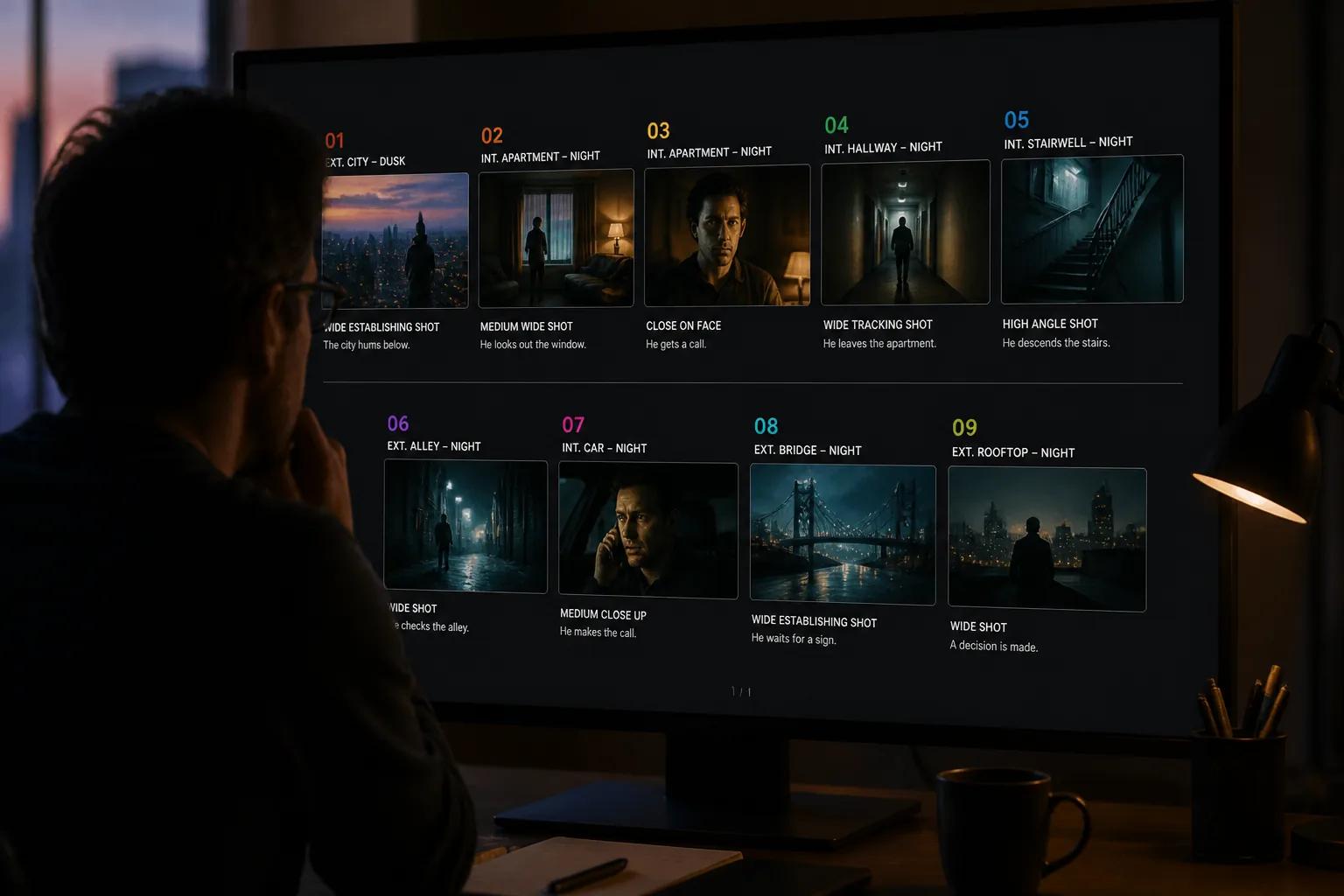
AI storyboarding is the use of generative AI to create the visual panels that map out a film, scene by scene. Instead of drawing each frame by hand or directing a storyboard artist, you describe a shot in plain language — and the tool generates an image that represents it.
A storyboard is still a storyboard. It's a sequence of frames showing what each shot will look like: the framing, the action, the mood, the staging. The only thing that changes is how those frames get made. With AI, the cost of producing a frame drops from "I need to find time, talent, or a checkbook" to "I need to write one good description."
That shift matters more than it sounds. When the cost of a single frame is high, you make compromises. You skip the second-unit shots. You don't board the dialogue scene because "we'll figure it out on the day." When the cost is low, you board everything — and you catch problems on a screen instead of on set.
Why Filmmakers Are Adopting AI Storyboarding
Storyboarding has always been valuable, but for most indie filmmakers it's been optional in practice. The tooling never quite fit a one-person production. AI changes the economics, and that's why adoption is moving fast.
A few specific reasons it's catching on:
Speed. A traditional storyboard for a short film can take days. With AI, the same coverage takes hours. The director still makes every creative decision — they just stop spending time on the manual drawing step.
Visual quality the team can actually use. AI-generated frames look like the film. That means producers, DPs, gaffers, and actors all get something concrete to react to, instead of trying to interpret stick figures.
Iteration without cost. Don't like the angle? Regenerate. Want to try the scene at night instead of dusk? Regenerate. The frame you discard isn't expensive, so you experiment more — which usually leads to a better final film.
Pre-vis on a budget that allows it. Pre-visualization used to be a feature of $50M productions. AI brings something close to it within reach of a creator with no crew.
It's no longer a niche workflow. Most working indie directors I've spoken to in the last six months have at least tried generating frames for one project. The early-adopter window is closing fast.
How AI Storyboarding Works
Under the hood, AI storyboarding is mostly just three things layered together: a way to describe a shot, a model that turns that description into an image, and a system that keeps the frames consistent across a sequence.
The description layer
You give the tool a prompt — usually a short paragraph describing the shot. The best prompts include the subject, the action, the location, the mood, the lighting, and the camera angle. Many AI storyboarding tools accept structured input as well: shot type, time of day, framing, and so on.
If the tool reads scripts directly, this step happens automatically — it parses the scene and builds the prompt for you, scene by scene.
The image generation layer
The tool feeds the prompt into a diffusion model trained on cinematic imagery. It produces a still image that matches the description. Most tools generate several variations so you can pick the best one or refine.
This part is what most people think of when they hear "AI image generation" — but it's only one piece of the storyboarding puzzle.
The consistency layer
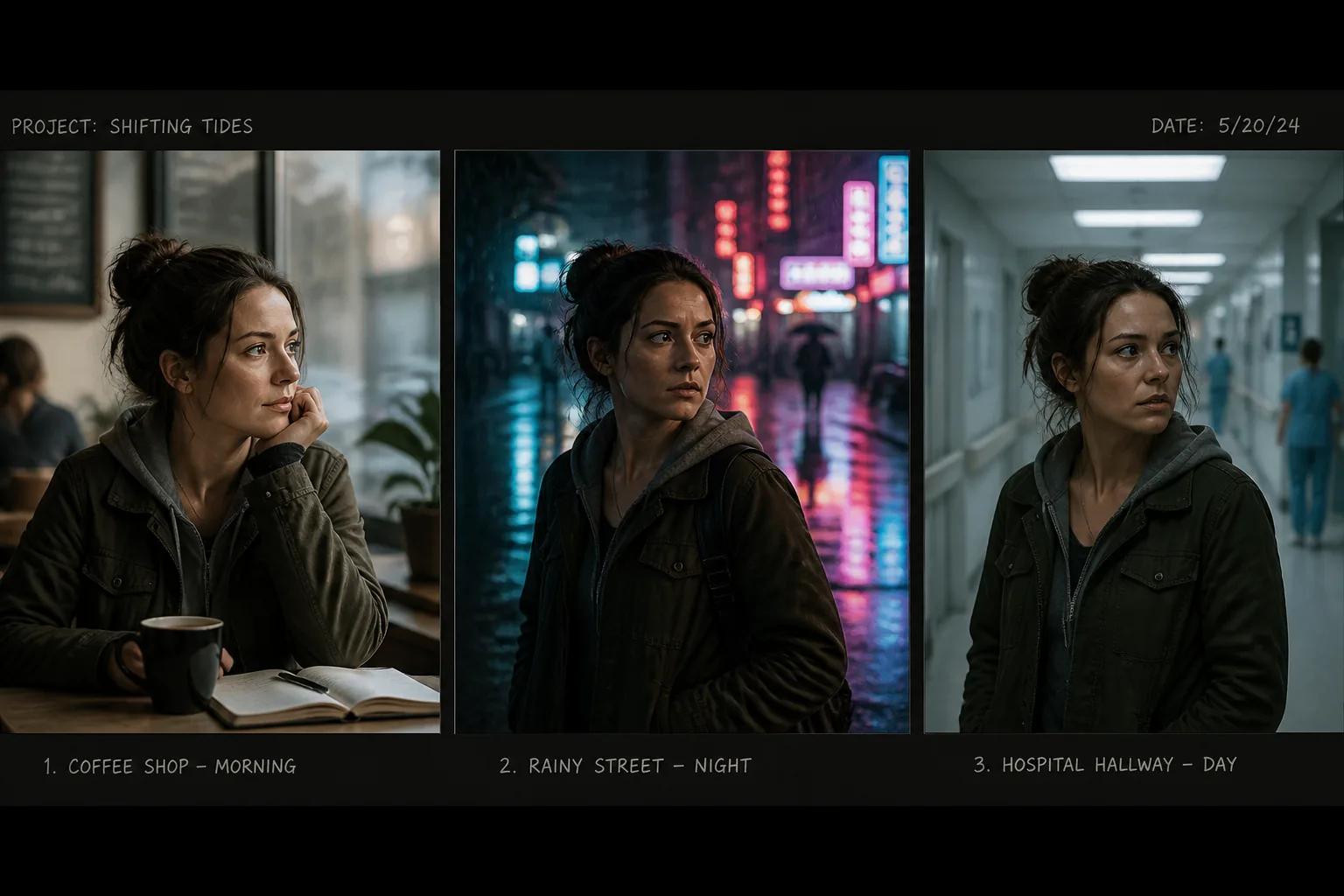
This is where serious AI storyboarding tools separate themselves from generic image generators. Across a 40-frame storyboard, the same character has to look like the same person. The same set has to feel like the same set. The lighting style has to hold across scenes that share a location.
Tools built for filmmaking solve this with character locks (a reference image or model the tool uses every time that character appears), style controls applied at the project level, and scene continuity tools that carry mood and lighting from one panel to the next. Without that, you end up with 40 beautiful frames that look like 40 different films.
The AI Storyboarding Workflow, End to End
Most filmmakers using AI storyboarding follow some version of the same workflow. The exact tool changes, but the steps don't.
Step 1: Break the script into scenes
Before you generate anything, you need a clean scene list. For a typical short film, that's 15–40 scenes. Mark each one with a slugline (location, time of day) and a one-line summary of what happens.
If your tool reads screenplays directly, it does this for you. Otherwise, copy the scene structure into a spreadsheet or a document and work from there.
Step 2: Identify key visual moments per scene
Not every scene needs the same number of frames. A long dialogue scene might need three or four panels — the establishing shot, two coverage angles, and a reaction. A chase or action sequence might need ten.
Pick the moments that carry the story: the shot that establishes geography, the one that reveals a character's reaction, the one that pays off a setup. Skip the in-between beats unless they matter.
For more on this step specifically, see our deeper walkthrough on going from script to storyboard with AI.
Step 3: Write visual prompts for each frame
The prompt is where the storyboard either works or doesn't. A weak prompt produces a generic image. A strong prompt produces something you can shoot from.
A useful prompt structure:
[Subject and action]. [Setting and time of day]. [Mood and lighting].
[Camera angle and framing]. [Visual style — cinematic, noir, etc.].
Example:
A young woman stands in the doorway of a small apartment, hesitating before
entering. Late evening, single warm bulb in the hallway. Mood is uneasy and
quiet. Wide shot, shallow depth of field. Cinematic, naturalistic style.
That's specific enough that two generations will feel like the same film.
Step 4: Generate the frames
Run the prompts through your tool. Most tools generate multiple options per prompt — review them, pick the closest match, regenerate if nothing fits. This is where you'll spend most of your time, and that's fine. Iteration is the point.
Step 5: Arrange, annotate, and review
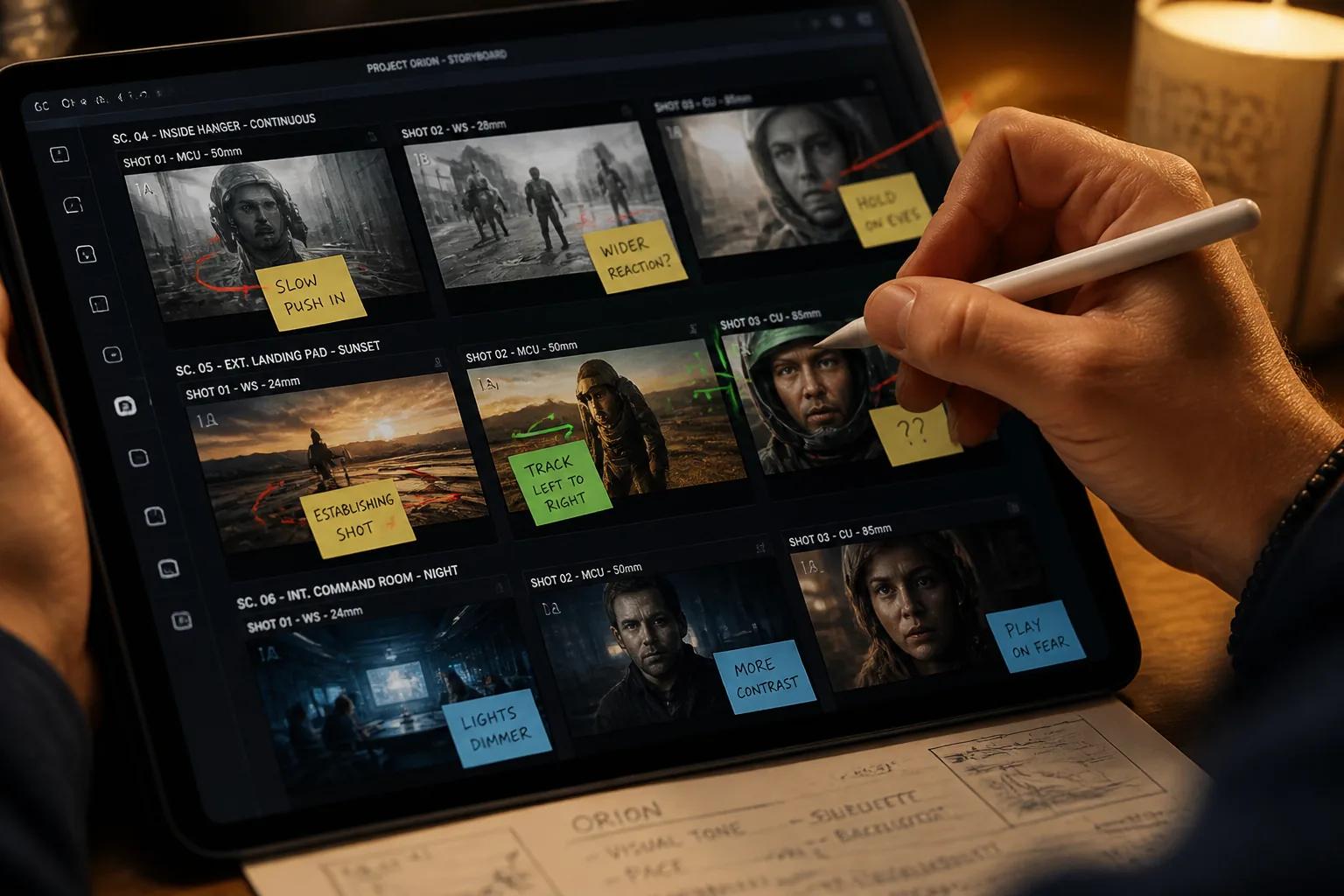
Lay the frames out in scene order. Add notes — camera moves, dialogue cues, sound design hints, anything that won't be obvious from the image alone. Then review the whole sequence, scene by scene, the way you'd review a film.
This is where you'll find the holes. A missing reaction shot. A geography problem. A scene that doesn't actually work as written. Fix it now, before it costs you anything.
Step 6: Hand off to production
Whether "production" means a real shoot or a pass through an AI video tool, your storyboard is now the source of truth for what gets made. Cast and crew can plan from it. You can use it to lock framing decisions before anyone shows up on set.
What to Look For in an AI Storyboarding Tool
Most general image generators can produce single film-style frames. Few can produce a coherent storyboard for a real project. When you're choosing a tool, these are the features that actually matter.
| Feature | Why It Matters |
|---|---|
| Character consistency | Your protagonist needs to look like the same person across every frame they appear in. Without this, you can't board a film, only a mood reel. |
| Style control | A unified visual style across the whole storyboard (lighting, color, grain, lens feel) is what makes it feel like a single film. |
| Scene-by-scene structure | Tools that understand the concept of "scenes" and let you arrange frames as a sequence are dramatically more useful than tools that only generate single images. |
| Script integration | Reading a script and auto-generating scene prompts saves hours and reduces input errors. |
| Iteration speed | Regeneration should feel cheap. If every variation takes minutes, you'll stop iterating — and iteration is where the quality comes from. |
| Direct path to production | The most efficient setup keeps storyboard frames and final-cut renders in the same environment, so locking the storyboard becomes the first step of production, not a separate pass. |
Storytella.ai is built around this last point — the storyboard isn't a separate document you finish and abandon. It's the same project that becomes your final film, with the same characters and style locked across both stages. If you're choosing a tool, check whether the storyboard is just a pretty deliverable or whether it actually drives what gets generated next.
AI Storyboarding vs. Traditional Storyboarding
This isn't really an either/or, but it's worth being clear about where each approach is strongest.
| Aspect | Traditional Storyboarding | AI Storyboarding |
|---|---|---|
| Speed | Days to weeks | Hours to a day |
| Cost | Artist fees or your own time | Tool subscription |
| Required skill | Drawing ability or budget | Prompt-writing ability |
| Visual realism | Stylized illustrations | Photorealistic frames |
| Iteration cost | High — redrawing takes time | Low — regenerate freely |
| Best for | Highly stylized or animated projects, traditional studio workflows | Live-action shorts, indie features, content creators, fast-moving productions |
| Worst for | Quick iteration | Films where the storyboard is the final art (animation, comics) |
Most filmmakers I know who've adopted AI storyboarding still occasionally sketch by hand for very specific scenes — usually action choreography that's faster to draw than to describe. But the bulk of the storyboard is now generated, and the time savings are real.
Best Practices for Better Storyboards
A few patterns separate good AI storyboards from forgettable ones.
Lock your style early. Pick a visual style (lighting palette, lens feel, color grade direction) before you generate anything beyond the first scene. Then apply it across every frame. A consistent style makes a 40-frame storyboard feel like a film. An inconsistent one feels like a Pinterest board.
Lock your characters before scene work. Define each main character once, with a clear reference, before you start generating scenes. Tools that support character locks make this trivial. If yours doesn't, generate a strong character reference image and feed it into every subsequent prompt.
Write prompts the way you'd describe a shot to your DP. Not "a man walks in." Try "a man enters a small kitchen from the left, frame held wide, late afternoon light through the window, shallow focus on the doorway." The tool can only deliver the specifics you give it.
Generate more than you think you need, then cut. It's faster to make 60 frames and keep 40 than to make 40 perfect frames. Generate freely, evaluate harshly.
Annotate as you go. A panel without notes is missing context. Add camera moves, dialogue beats, sound cues, anything that lives outside the image. Your future self (or your DP) will thank you.
Review the storyboard like a film. Watch it in sequence. Read it the way an audience will read the final film. The mistakes show up in the cuts between frames, not inside any single frame.
Common Mistakes to Avoid
Patterns that quietly waste time:
Treating the storyboard as final art. It isn't. It's a planning tool. If you spend hours perfecting one frame, you're solving the wrong problem. A working frame that communicates the shot is enough.
Skipping the script breakdown. Generating frames before you have a clean scene list is how you end up with 30 panels that don't add up to a film. Break the script down first, generate second.
Using a different style every five frames. This usually happens when prompts get inconsistent over a long session. Fix it by writing your style description once at the top of your prompt template and pasting it into every prompt.
Boarding scenes that don't need it. Not every scene needs four panels. A simple over-the-shoulder dialogue scene might only need one establishing frame. Use the storyboard to plan the parts that need planning.
Ignoring the cuts between frames. A storyboard is read in sequence. If frame six doesn't make sense after frame five, you have a problem the audience will feel — even if both frames are individually beautiful.
Pretending AI fixed the writing. It didn't. AI can produce a stunning frame for a scene that doesn't work, and it'll still be a scene that doesn't work. The storyboard reveals story problems; it doesn't solve them. Fix the writing first.
Limitations and Where AI Still Falls Short
Honest take: AI storyboarding is excellent at most of what filmmakers need it to do, and weak at a few specific things.
Complex action choreography. When you need to plan a precise fight, stunt, or chase across multiple frames, descriptive prompts struggle. Sketching is often still faster, even badly.
Exotic camera moves. AI generates stills well. Communicating a long crane move or a complicated dolly across a sequence still requires notes — and sometimes a quick sketch — that the AI can't render directly.
Highly stylized animation pipelines. If your final film is hand-drawn 2D animation, an AI photorealistic storyboard is useful for blocking but doesn't translate directly to your animators.
Very specific brand or IP likenesses. Most tools don't reliably reproduce specific real people or trademarked characters, and you generally shouldn't ask them to.
These are real gaps. None of them are reasons to skip AI storyboarding entirely — they're reasons to know when to lean on it and when to combine it with sketching, animatics, or notes.
FAQ
What is AI storyboarding in simple terms?
AI storyboarding is using AI tools to generate the visual frames of a storyboard from written descriptions. Instead of drawing each panel or hiring a storyboard artist, you describe what you want to see and the tool produces the image. It's used to plan shots before production.
Do I need to know how to draw to use AI storyboarding?
No. That's the main appeal. You need to be able to describe a shot clearly — framing, mood, lighting, action — but you don't need any drawing skill. If you can write a vivid sentence, you can generate a storyboard.
How long does it take to storyboard a film with AI?
For a short film of 5–10 minutes, expect a few hours of focused work. For a feature, a few days. The bottleneck is usually the script breakdown and the prompt-writing, not the generation itself.
Will AI replace storyboard artists?
Not entirely. Storyboard artists remain essential for highly stylized projects, complex action sequences, and productions where the storyboard art is part of the brand. But for indie filmmakers and content creators who never had a storyboard artist anyway, AI fills a gap that was previously empty.
Can I use AI-generated storyboards in a real production?
Yes. They function exactly like traditional storyboards — they communicate framing, blocking, mood, and shot order to your crew. Many indie productions ship AI-generated boards directly to set without any extra step.
What's the best AI storyboarding tool?
The best tool is the one that handles character consistency, style control, and scene structure — and ideally lets you keep working past the storyboard into final renders without switching apps. Storytella.ai is purpose-built for this end-to-end workflow, but the right answer depends on your project.
How is AI storyboarding different from AI video generation?
Storyboarding produces still frames that plan a film. AI video generation produces moving footage. The storyboard comes first; the video comes after. Some platforms, including Storytella, do both inside one project so the storyboard frames directly inform the final video.
Conclusion
AI storyboarding isn't a replacement for craft. It's a way to spend more of your time on the parts of filmmaking that only a human can do — the writing, the blocking decisions, the performance choices, the cuts — and less on the parts that used to eat days for no creative reason.
The filmmakers getting the most out of it aren't the ones generating prettier frames. They're the ones using AI to board scenes they would have skipped, iterate decisions they would have locked too early, and arrive on set (or on the timeline) with a clearer plan than their resources would normally allow.
If you've been putting off storyboarding because the cost didn't fit your project, that excuse is gone. The tools are here, the workflow is established, and the only thing left is to start.
Try Storytella.ai and go from script to storyboard to final cut in one place — no crew, no drawing, no separate tools.
Your story awaits
The set is ready for you.
Turn your screenplay into stunning storyboards and animatics in minutes — not months. No drawing skills required.
Free to start · No credit card required · Cancel anytime