 Storytella
How Music Video Directors Are Using AI for Pre-Vis
A look at how music video directors are using AI to visualise shots, lock looks, and get label sign-off before a single light is set on set.
If you direct music videos, the hardest part is rarely the shoot — it's everything that happens before it. You need a treatment the label will sign off on, a shotlist your DP can execute, and a clear visual answer to "what does this song look like?" — usually on a tight budget and a tighter timeline. AI music video pre-vis is changing how directors solve that. Instead of sketching stick figures or pulling reference reels, you can now generate the actual shots — performer, location, lighting, and look — before stepping on set. This article breaks down how directors are using AI pre-vis today, the workflow that actually works, and where a platform like Storytella.ai fits in.
What Pre-Vis Is, and Why Music Videos Need It
Pre-visualization — or pre-vis — is the step between treatment and shoot where you visualise the video before producing it. Traditionally that has meant storyboards, animatics, 3D layouts in a tool like Maya or Unreal, or a stack of reference frames pulled from other films.
Music videos need pre-vis more than most formats because the schedule is brutal. A typical indie music video gets one or two shoot days. The label, the artist, the stylist, the location, the choreographer, and the DP all need to be aligned before the camera rolls. If pre-vis is vague, the shoot drifts. If pre-vis is wrong, the edit suffers.
The job of pre-vis is simple: cut decisions out of the day-of timeline and move them to a desk, a week earlier.
How AI Is Changing Music Video Pre-Vis
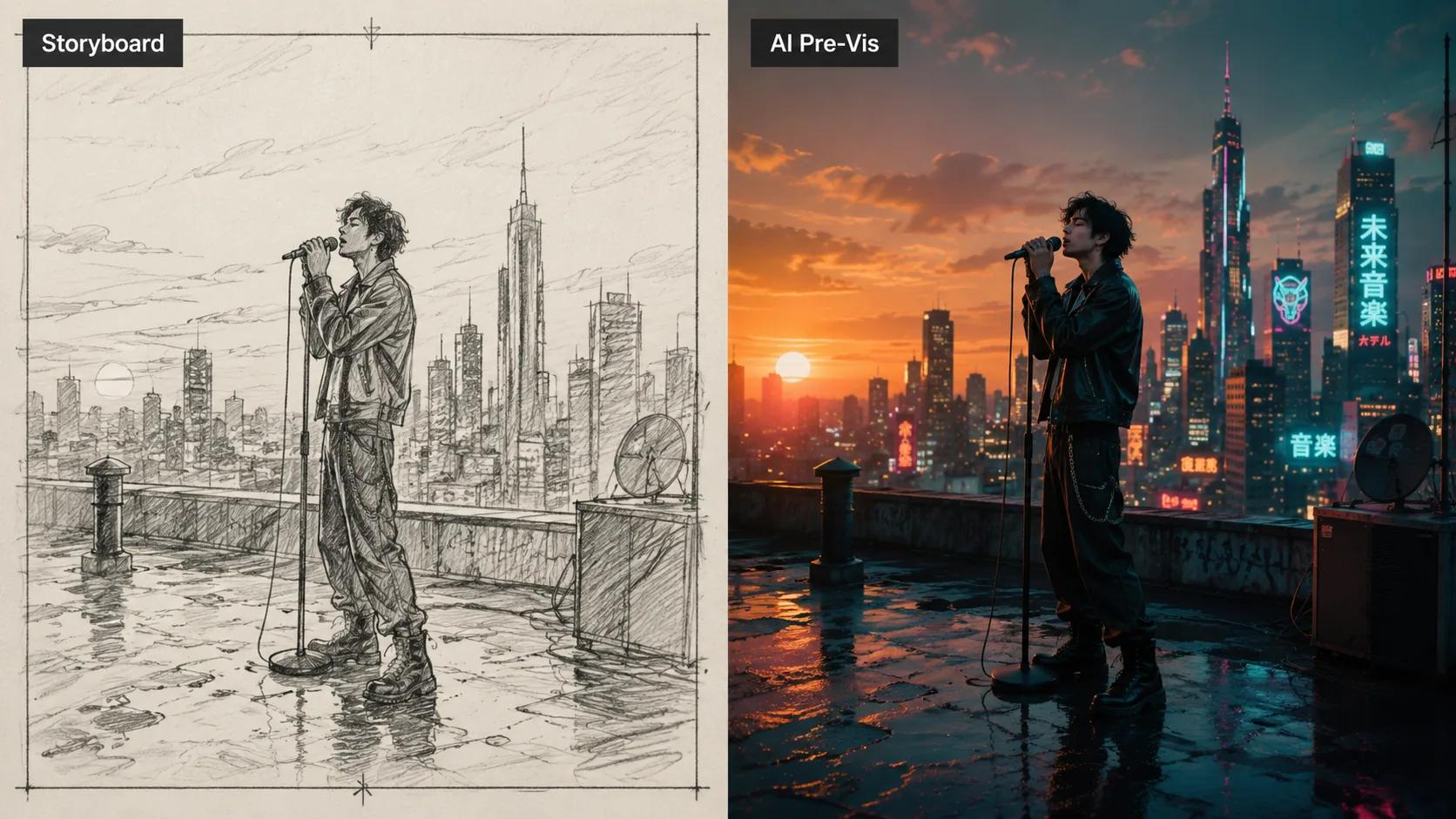
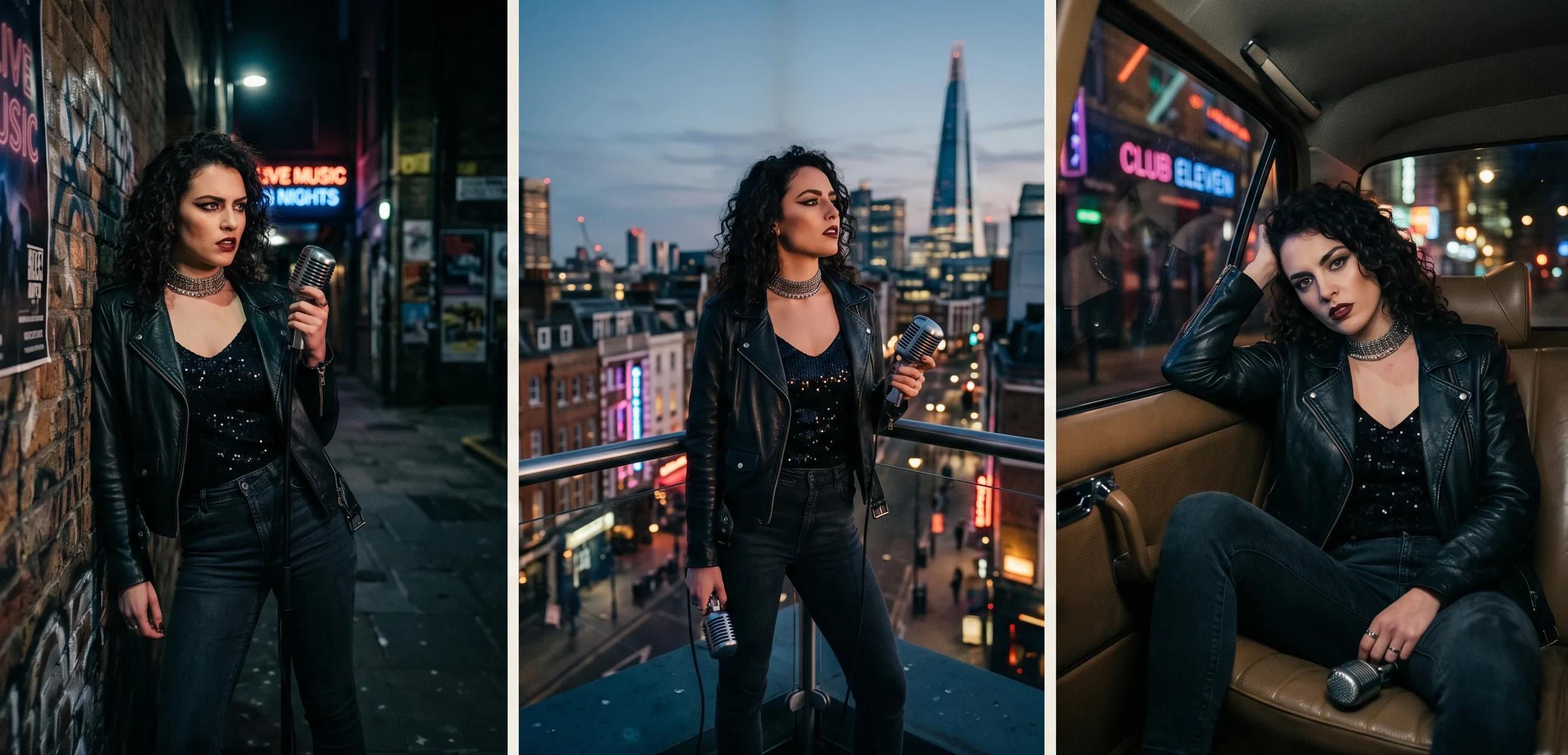
Traditional pre-vis required either drawing skill, 3D animation skill, or a budget for a previs artist. AI breaks that constraint. A director can now describe a shot in plain language and see a render of it within minutes — in the actual style of the final video, with the actual mood, lighting, and framing.
Three things change once that becomes possible:
- Pre-vis is no longer a sketch — it's a draft. The AI-generated frame is close enough to the final look that the artist, the label, and the DP are all reacting to the same thing.
- Iteration is cheap. Changing the location from a rooftop to an alley is a prompt edit, not a half-day in After Effects.
- The treatment, the storyboard, and the look book collapse into one document. Directors are increasingly pitching with AI-generated frames instead of pulled references.
This doesn't replace the DP, the gaffer, or the editor. It replaces the gap between "idea" and "shot list" — which used to be filled with guesswork.
The New AI Pre-Vis Workflow, Step by Step
Directors who are getting real value out of AI pre-vis tend to follow the same loose workflow. It looks like this:
- Listen to the track on repeat and write a one-line visual statement. Something like "neon-lit night, lonely city, the performer is the only one moving."
- Break the song into beats. Verse, chorus, bridge — each beat is a scene.
- Write a prompt for each beat. Subject, action, location, mood, lighting, lens feel. Two or three sentences per scene is enough.
- Generate the frames. Pull the first set of shots. Don't over-tune the first pass — you're looking for direction, not perfection.
- Lock the visual style. Pick a look (e.g., grainy neon-noir, soft 16mm, high-contrast monochrome) and apply it across every scene so the video reads as one piece.
- Sequence the shots. Drop the frames into a rough timeline against the track. This is where the pre-vis stops being a mood board and becomes an animatic.
- Iterate on the weak shots. Anything that doesn't sell, regenerate or rewrite.
- Export the deck. Frame stills for the label, the treatment doc for the artist, the shotlist for the DP.
The whole loop is usually 1–3 days for a 3-minute song, depending on how much iteration the artist needs.
What You Can Actually Pre-Visualize With AI Today
Not everything is equally easy to pre-vis with AI. Here's where it works well and where you still need traditional tools.
| What you can pre-vis well | What still needs traditional tools |
|---|---|
| Location, mood, and lighting | Exact choreography timing |
| Wardrobe direction and color palette | Complex physical effects (water, fire interactions) |
| Camera framing and lens feel | Lip-sync timing |
| Performance posture and energy | Exact prop continuity |
| Style consistency across shots | Final colour grade |
| Mood-board-to-shot translation | On-set blocking with extras |
The practical rule: AI is excellent at "what does this look like?" and limited at "what does this do in time?" Use it to lock the look. Use a traditional animatic — or, increasingly, an AI-generated short video clip — for timing-critical sequences.
Why Label and Artist Approvals Get Easier With AI Pre-Vis
The slowest part of most music video productions is approval. A label A&R rep, the artist, and the management team all need to agree on the visual direction before money moves. Pulled-reference look books leave too much room for "I thought you meant something different."
AI pre-vis tightens that loop because everyone reviews the actual shot, not a reference. Directors who've adopted this workflow report three changes:
- Fewer treatment rounds. Labels sign off faster when they see the video instead of imagining it.
- Sharper artist input. Artists give better notes when they can see themselves in the frame — even as a stand-in render.
- Less budget waste. Locations, wardrobe, and props get locked before they're booked, so fewer expensive day-of pivots.
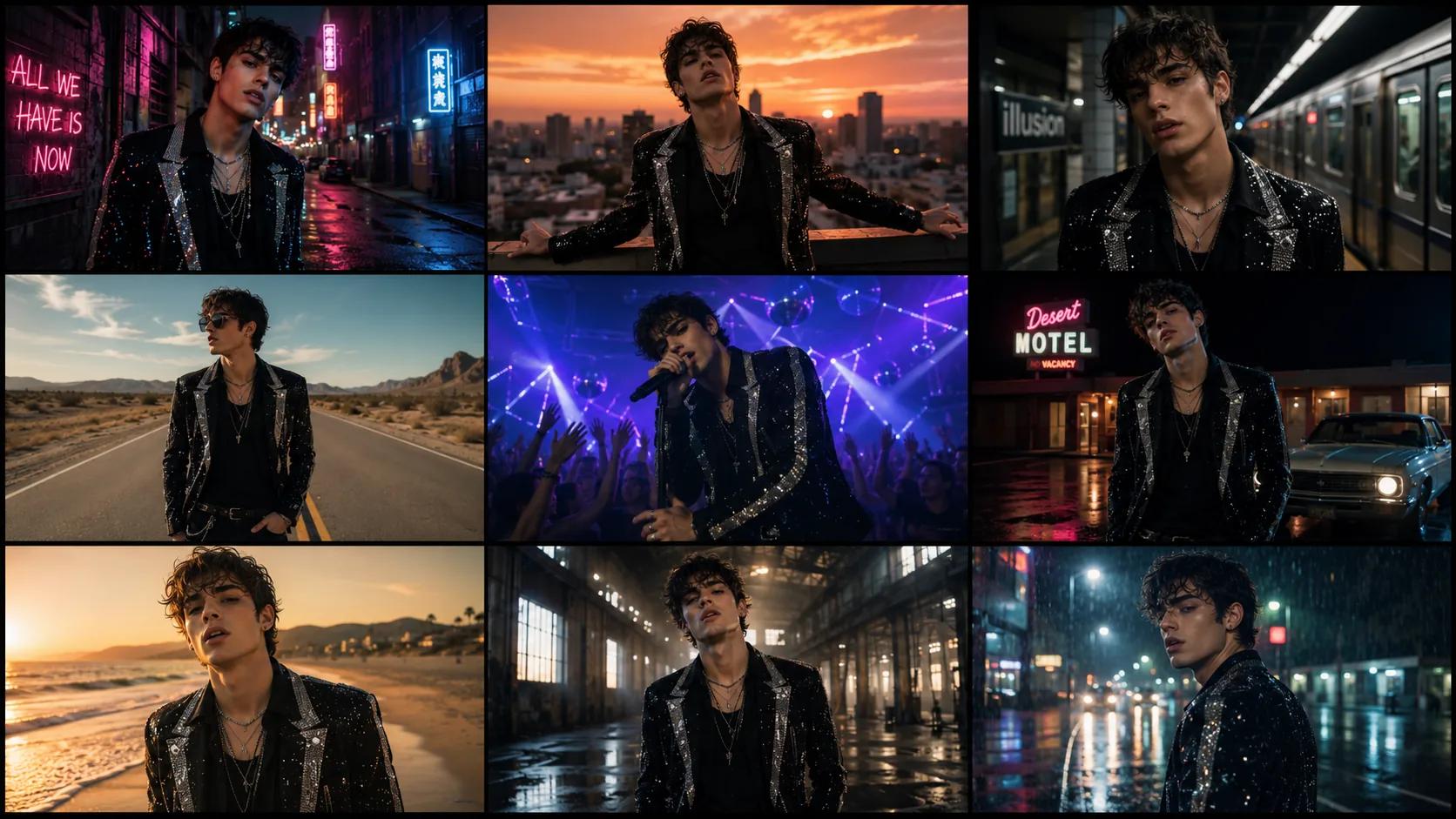
This is also where a platform like Storytella.ai earns its place — character consistency across scenes means the artist's stand-in render looks like the same person from shot one to shot twenty, which is what makes a pre-vis deck feel like a real video instead of a mood board.
How to Build a Music Video Pre-Vis in Storytella
Here's the basic flow inside Storytella:
- Create a project and paste the song's beat-by-beat structure as your scene outline. One scene per beat.
- Write a prompt for each scene. Be specific about location, lighting, performer action, and mood.
- Lock a style. Pick a visual style (cinematic, music-video-grain, anime, monochrome, etc.) and apply it across all scenes so the video reads cohesively.
- Define the performer. Use character consistency so the same person appears in every scene without drift.
- Generate, review, regenerate. Anything that doesn't land, rewrite the prompt or tweak the style.
- Sequence and export. Drop the scenes into a timeline against the track, export frames for the deck, and use the same project to generate the full video later.
Common Mistakes to Avoid
A few patterns trip up directors who are new to AI pre-vis:
- Treating the first generation as the answer. The first pass is direction, not delivery. Plan to iterate.
- Skipping the style lock. Without a consistent style preset, your scenes look like ten different videos stitched together.
- Over-prompting. Long, dense prompts often produce worse frames than short, specific ones. Lead with subject, action, location, mood — in that order.
- Pre-vising what you can't shoot. Don't generate a shot you have no budget or location to recreate. Pre-vis is a planning tool, not a fantasy generator.
- Forgetting timing. A static frame deck doesn't tell you whether a chorus shot holds for eight beats or two. Sequence against the track.
FAQ
What is AI music video pre-vis?
AI music video pre-vis is the practice of using AI image and video generation to plan a music video's shots, locations, lighting, and look before filming. It replaces or supplements traditional storyboards and animatics with renders that closely approximate the final video.
Do labels accept AI pre-vis decks?
Increasingly, yes. Labels and A&R teams find AI pre-vis easier to react to than pulled-reference look books because they see the actual planned video, not a collage of unrelated frames. As always, the deck should be clearly marked as pre-vis, not final footage.
Can I use AI pre-vis if I'm a first-time music video director?
Yes — this is one of the strongest use cases. First-time directors benefit most because AI pre-vis closes the experience gap. You can pitch with the same visual confidence as a director with a decade of reels behind them.
Is AI replacing music video directors?
No. The director still does the hard work — choosing the visual statement, picking the shots that serve the song, and directing the artist on set. AI handles the generation, not the judgment. Platforms like Storytella.ai explicitly position themselves as tools for filmmakers, not replacements for them.
How long does an AI pre-vis take?
For a typical 3-minute song, a director can produce a usable pre-vis deck in 1–3 days, including iteration. The exact time depends on how many scenes the song needs and how much approval back-and-forth happens with the artist and label.
Can the AI pre-vis become the final video?
Sometimes. If the song calls for a stylised, surreal, or fully animated look, the pre-vis can evolve directly into the final video inside the same platform. For performance-driven videos with real choreography, the pre-vis stays a planning tool and the shoot still happens.
Conclusion
AI music video pre-vis isn't a gimmick — it's becoming the default planning step for directors who want to shoot smarter and pitch better. The win isn't that AI makes the video for you. The win is that the artist, the label, and the crew are all reacting to the same vision before anyone gets on set, which means fewer surprises, fewer pivots, and more of the budget going where it should: into the shoot.
If you're directing your next video, start the pre-vis the same day you get the track. Lock the visual statement, generate the scenes, and walk into the artist meeting with the video — not a mood board.
Try Storytella.ai and pre-visualise your next music video from script to scene, with character consistency, style control, and a single workflow from idea to final cut.
Your story awaits
The set is ready for you.
Turn your screenplay into stunning storyboards and animatics in minutes — not months. No drawing skills required.
Free to start · No credit card required · Cancel anytime