 Storytella
How to Maintain Character Consistency Across AI-Generated Scenes
The practical steps that stop your lead character from looking like a different person in every scene — even when AI is doing the generating.
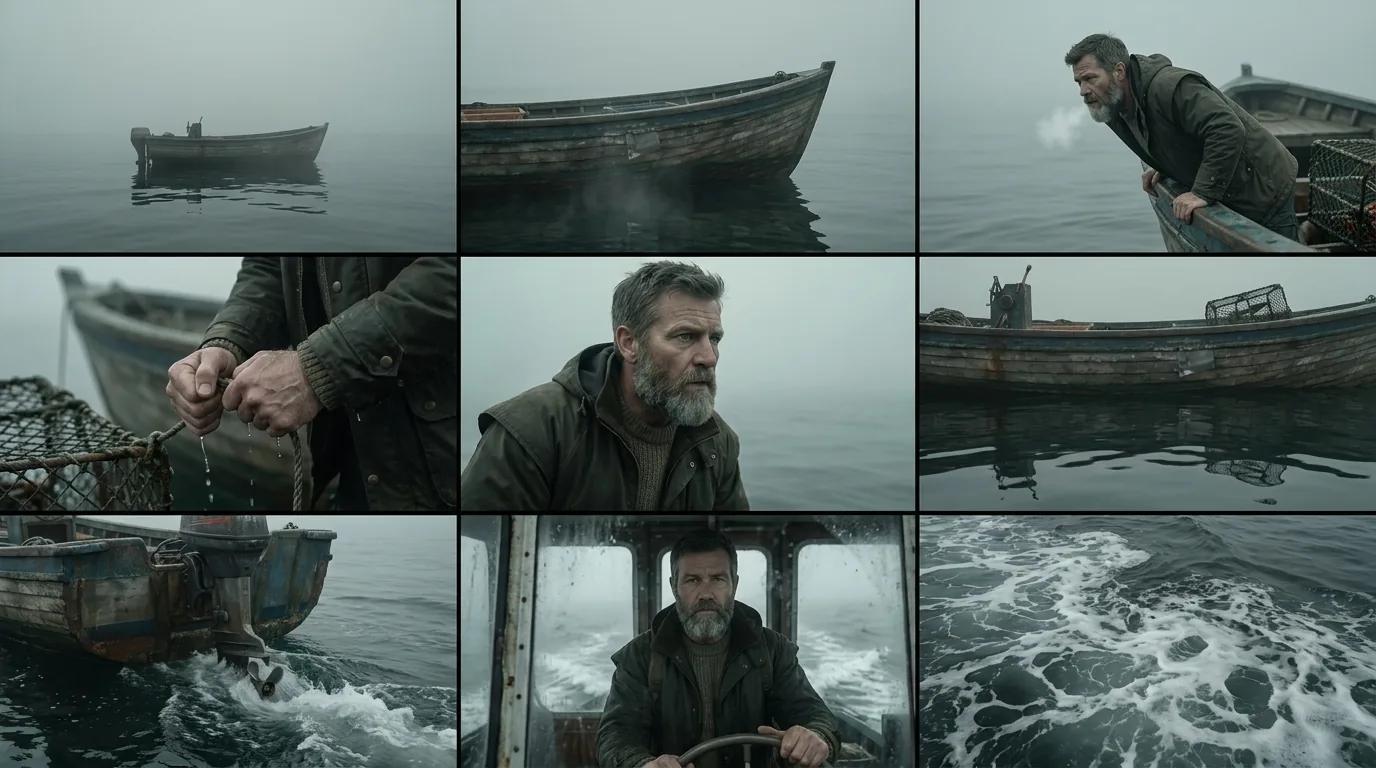
AI can generate a stunning scene in seconds. The challenge isn't generating one great scene — it's generating twenty scenes where your lead character looks like the same person in all of them. AI character consistency is one of the most common pain points for new AI filmmakers, and one that's entirely solvable once you understand how the tools work.
In this guide, you'll learn a five-step process for defining, locking, and maintaining your character's look from scene one to the final cut. Whether you're working on a short film, a web series, or a proof-of-concept reel, these steps apply.
Why AI Character Consistency Is the Hardest Part of AI Filmmaking
Traditional film is consistent by default — you cast a real actor, and they show up looking the same on every shooting day. With AI generation, consistency is something you have to build deliberately.
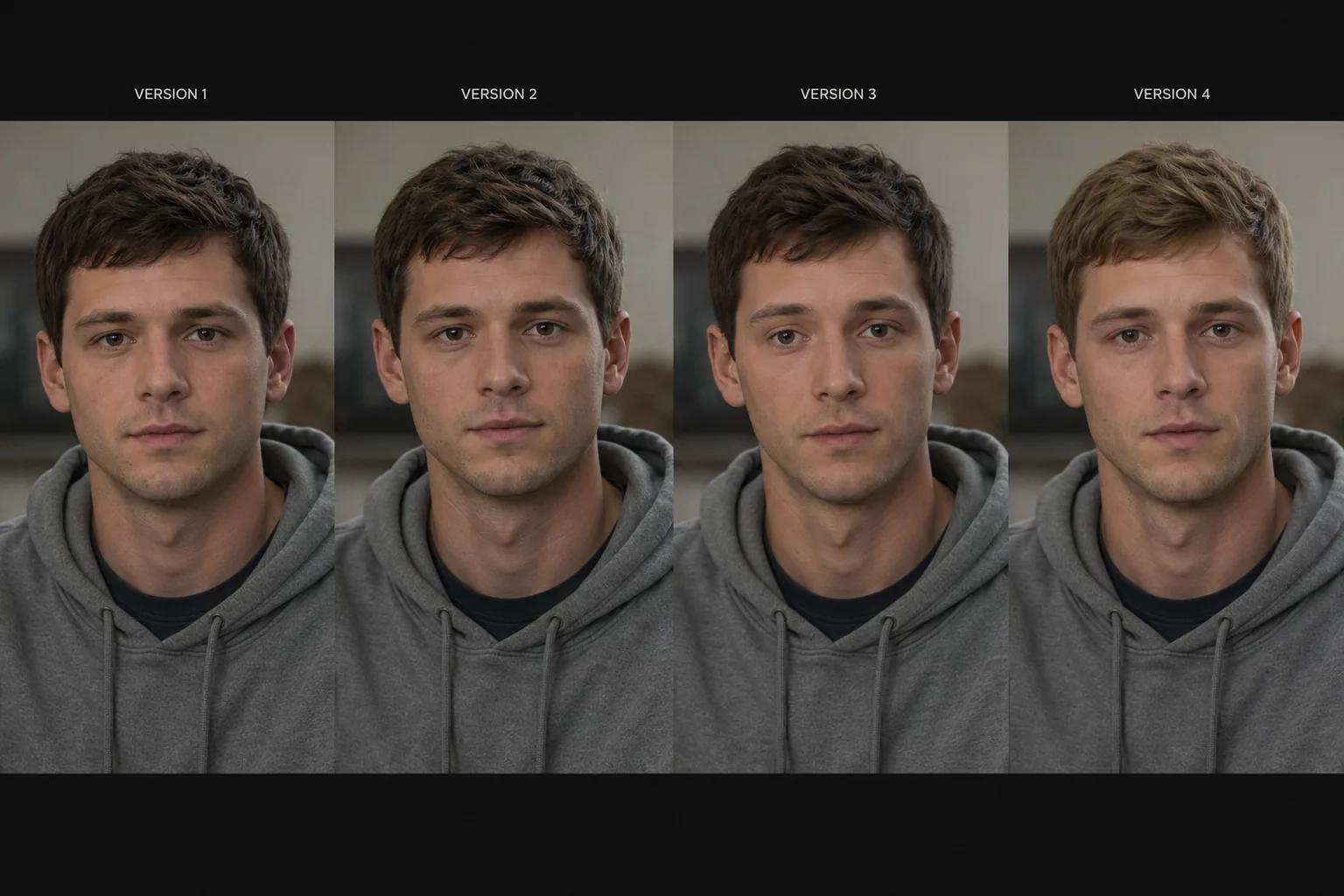
Most AI video generation tools work from text prompts or seed images. Without careful setup, each scene is generated from scratch — which means small differences compound across a project. Your lead might have slightly different bone structure in act two. Their hair color might shift a shade. Their jacket might change from charcoal to black.
This is called character drift, and it happens when the generation process doesn't have a stable enough reference to anchor to. The fix isn't to use a different tool — it's to give the AI what it needs to stay consistent.
Step 1 — Build a Detailed Character Reference Before You Generate Anything
The most important step happens before you open any tool. You need a written character reference — a single document that describes your character precisely enough that any scene generation stays anchored to the same person.
Your character reference should cover:
- Physical features: Age range, skin tone, hair color and texture, eye color, face shape, height and build
- Distinguishing details: Scars, tattoos, piercings, freckles, or any standout features
- Core wardrobe: What they wear in most scenes — be specific. "Slate-gray fitted crew-neck sweater, dark indigo straight-leg jeans, white minimal sneakers" works. "Casual clothes" doesn't.
- Mood and physical presence: Are they still and intense, or expressive and kinetic? This shapes how AI reads the character across scenes.
- A reference image: A photo, illustration, or AI-generated portrait of how this character should look
The reference image is especially powerful. Many AI filmmaking platforms let you upload a character image as an anchor — the tool uses it to maintain likeness across every scene it generates. This single addition reduces character drift more than any other step.
Step 2 — Lock Your Character Profile in Your Platform
Once your reference is ready, set it up properly in your platform. Different tools handle this differently, but the core principle is the same: you're telling the system "this is who this character is — keep them consistent."
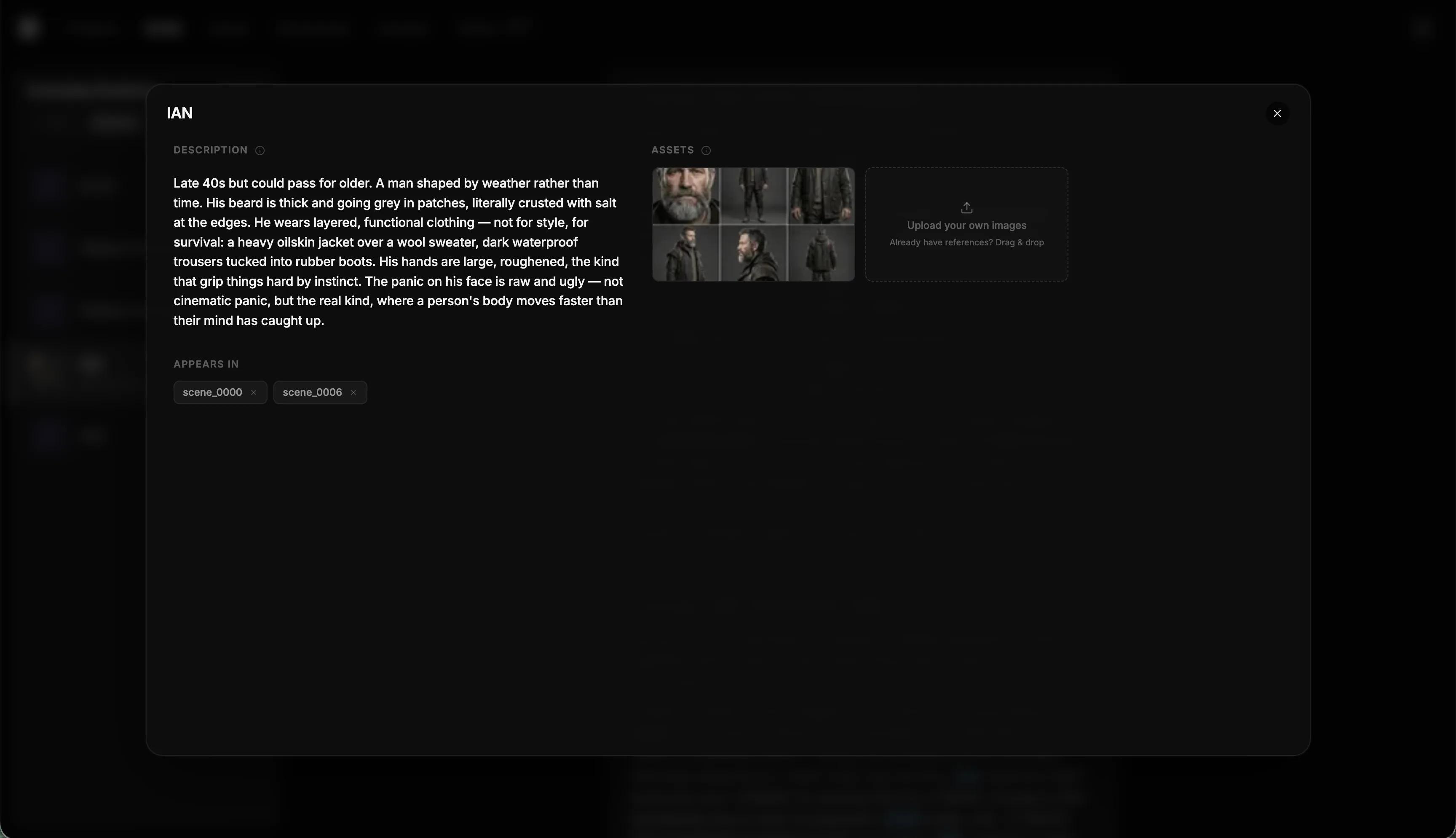
In Storytella.ai, character profiles are a first-class feature. You define a character once — name, visual description, and reference image — and the platform applies that profile across every scene they appear in. You don't re-describe the character every time you write a new scene prompt; the system already knows who they are.
This is the structural difference between projects that stay consistent and projects that drift. When character identity lives at the project level rather than inside individual scene prompts, every scene inherits a single source of truth.
Step 3 — Use Consistent Prompt Language Across Every Scene
Even with a locked character profile, your scene prompts shape how the character appears. Inconsistent prompt language introduces variation the platform has to reconcile — and sometimes can't fully resolve.
A few practices that make a real difference:
Use the same core description every time. If your character is "a 30-year-old woman with dark curly hair, olive skin, and a leather jacket," use those exact words in every scene prompt where she appears. Don't paraphrase — "a woman in her early 30s with curly dark hair and a jacket" is close but not the same, and small differences add up across a full project.
Separate character from context. Put your character description in the designated character field. Use the scene prompt for lighting, setting, action, and mood. Don't blend them together in one block of text.
Anchor with a consistent emotional baseline. "Calm, alert expression" is reproducible. "Neutral" is ambiguous. "Intense" means something different to every generator. Be specific about how the character holds themselves, not just how they feel.
Avoid descriptions that shift physical features. "She looks tired and worn out" might subtly age her. "She looks exhausted — heavy eyes, shoulders slightly dropped" conveys the same emotion through posture and expression without touching the physical reference.
Step 4 — Review Before You Extend — Catch Drift Early
Character drift usually starts small. A slightly wider jaw. A warmer skin tone. Eyes a fraction further apart. Individually, each variation is subtle. Across ten scenes, it reads as a different person.
The habit that prevents this: review character continuity before generating the next batch of scenes. Don't run twenty scenes in one pass and review them at the end. Generate five to eight, pause, compare against your reference image, and correct before continuing.
What to check in each review:
- Core facial features against your reference image
- Hair color, length, and texture
- Wardrobe — does the costume match across scenes that are supposed to be the same day?
- Physical build — AI can shift proportions subtly between generations
Catching drift at scene seven is far easier than catching it at scene twenty. Early correction takes a few minutes. Late correction requires re-generating half your project.
Step 5 — Handle Variation Without Starting Over
Even with perfect setup, you'll occasionally get a scene where the character looks slightly off. The wrong response is to scrap everything and start over. The right response is a targeted fix.
Regenerate with a tighter reference. If the platform allows it, regenerate the scene with the character image more explicitly anchored. Tighten the description to correct the specific thing that drifted — don't change anything else.
Use the problem scene as a note, not a failure. If a specific prompt phrasing produced inconsistency, log it. That phrasing goes on your avoid list. Over a project, you build up real knowledge about what produces stable results for your character and platform.
Fix wardrobe in prompts, not post. If a character appears in different outfits across scenes that should be the same day, fix this in your prompts before you start editing. Editing around costume inconsistency is expensive and often still visible on close review.
In Storytella.ai, the character consistency architecture is designed to minimize this kind of manual correction. When character profiles are properly configured, re-generation stays anchored to the reference rather than drifting further each time.
What to Do When Your Character Still Drifts
If you're following all five steps and still seeing inconsistency, the problem is usually one of three things:
1. The reference image is ambiguous. A low-contrast photo, a highly stylized illustration, or an image where the face is partially obscured gives the AI less to anchor to. Use a clear, forward-facing, well-lit portrait.
2. The prompt is overloaded. Long, dense prompts compete for attention internally. If your character description is three paragraphs mixed in with lighting, setting, and action, the character description gets diluted. Trim it and let the character profile do its job.
3. The platform doesn't support character locking. Some tools generate every scene from scratch with no memory of previous outputs. If that's the case, the tool isn't built for narrative filmmaking. [INTERNAL LINK: relevant Storytella article on choosing an AI filmmaking platform — confirm URL]
FAQ
What is AI character consistency and why does it matter?
AI character consistency means your character looks like the same person in every scene of your project. It matters because storytelling depends on recognizable characters — if your lead looks slightly different in each scene, the audience loses the thread. Building consistency into your workflow from the start is far easier than fixing it in editing.
How do I create a character reference for AI video generation?
Write a detailed physical description covering age, skin tone, hair, eyes, build, and specific clothing. Include a reference image — a photo or AI-generated portrait that captures exactly how the character should look. The more specific and concrete your reference is, the more stable your generations will be.
Can I maintain AI character consistency without uploading a reference image?
Yes, but it's significantly harder. Precise, consistently applied text descriptions can produce good results. A reference image gives the AI a visual anchor that text alone can't fully replicate — especially for subtle features like face shape and skin tone.
Why does my AI character look different in every scene?
This is usually character drift caused by inconsistent prompt language, missing character profile data, or a platform that doesn't support character locking. Review your prompts for small variations, confirm your character profile is configured, and regenerate problem scenes with tighter descriptions.
How many scenes can I generate before character drift becomes noticeable?
It depends on your platform and setup. With a strong character profile and consistent prompts in a tool like Storytella.ai, you can maintain consistency across an entire short film. Without a locked profile, drift can start appearing within five to ten scenes.
Does wardrobe affect character consistency in AI-generated video?
Yes. If your character's outfit changes between scenes that are supposed to be the same day, viewers register it immediately. Define wardrobe at the character profile level, not just the scene level, and be explicit about clothing in every scene prompt.
Should I review scenes for consistency as I go or all at once?
Review in batches — every five to eight scenes — rather than all at once at the end. This lets you catch drift early and correct it before it propagates across the rest of the project.
Conclusion
Maintaining AI character consistency across scenes isn't magic — it's process. Define your character precisely before you generate anything, lock that definition at the platform level, use consistent prompt language, review in batches, and fix problems early rather than letting drift compound.
The result is a film where your audience never breaks immersion because the lead looks like a different person in act two. That's the difference between AI-generated content that holds up as a real production and content that reads as a prototype.
If you're building a project now — or planning one — Storytella.ai is built with character consistency as a core feature, not an afterthought. Define your characters once, and the platform keeps them stable from first scene to final cut.
Your story awaits
The set is ready for you.
Turn your screenplay into stunning storyboards and animatics in minutes — not months. No drawing skills required.
Free to start · No credit card required · Cancel anytime